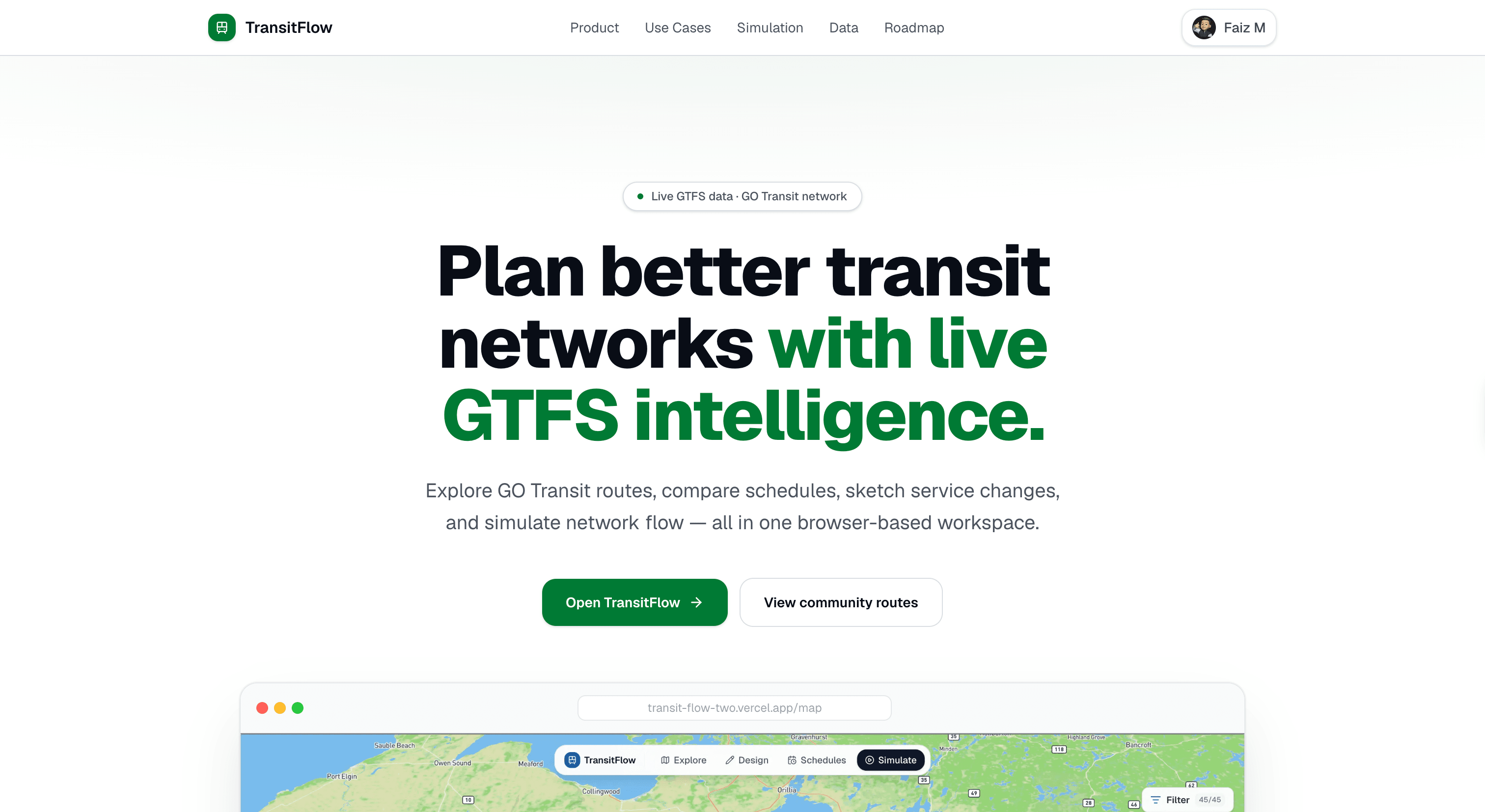
transitflow is a browser-based GO Transit network design simulator. explore all 44 real GO train and bus routes on a live map, draw your own custom lines, run time-of-day simulations with real GTFS trip data, and share your network designs with a public community feed.
i use GO Transit a lot. the regional rail network covers the entire greater toronto and hamilton area, but the schedules are infrequent and coverage is thin in many areas. i kept thinking about what if i could just draw a new line?
every transit planning tool i found was either locked behind enterprise software or required GIS expertise to operate. i wanted something that felt more like a map game — drop stops, draw routes, watch them move.
transitflow started as a personal experiment to visualize GO's GTFS data. it grew into a full simulator after i realized how much i enjoyed watching the ~900 daily trips animate across the GTHA in real time.
transitflow has six distinct modes, all living in a single map page.
all GTFS data is pre-computed at build time. raw GO Transit feeds live under server/data/gotransit/ and three python scripts derive everything the app needs:
scripts/build_subroutes.py stop data per route variant — which stops belong to which pattern, in order.
scripts/build_gtfs_derived.py route line geometries as GeoJSON, consumed directly by mapbox layers.
scripts/build_simulation_artifacts.py trip animation data for ~900 real daily trips, broken into per-trip JSON files that the simulation engine streams at runtime.
the output lands in client/public/gotransit/derived/ and is served as static assets. no heavy processing at request time — the server just serves files.
this was a deliberate choice. GTFS data for a regional network is large but relatively stable. re-deriving it on every request would be wasteful, and pre-computing means the map loads fast on cold starts with zero database queries for the base layer.
here's how everything connects — from the raw gtfs feeds all the way to your browser.
the main map lives at /map/page.tsx and is the most complex file in the codebase — 2400+ lines managing mapbox layers, draw mode, route builder, simulation state, and GTFS overlays simultaneously.
all six modes share a single mapbox instance. switching modes mutates which layers are visible and which event listeners are active, rather than mounting and unmounting separate map components. this avoids the expensive mapbox initialization cost on every mode change.
state coordination across modes uses a combination of react state, custom browser events, and localStorage. localStorage persists the active design between page reloads, so users don't lose work if they navigate away.
simulation engine the simulation runs entirely client-side. the /api/simulation route serves the pre-built trip artifacts, and the browser interpolates vehicle positions between waypoints using a requestAnimationFrame loop keyed to a virtual clock.
scrubbing the time-of-day slider doesn't re-fetch data — it updates the virtual clock and the animation loop repositions all active trips on the next frame. at peak hours, this means rendering hundreds of moving points simultaneously without any server round-trips.
route drawing the design mode uses @mapbox/mapbox-gl-draw for placing stops and drawing line geometry. when a user finishes drawing, the route builder computes a timetable scaffold based on the line's geometry and the selected frequency or departure schedule.
custom stops (new stations) are stored in component state and layered onto the map as a separate source, distinct from the GO Transit base layer. this lets users add stops anywhere without modifying the pre-computed GTFS data.
transitflow has two claude-powered endpoints, both using claude-sonnet-4-6.
route agent /api/route-agent takes the user's current route geometry and stop list and returns suggestions — where to add stops, which real GO corridors to connect to, how to name the line. the agent has access to the variants index so it can reason about existing GO coverage.
schedule optimizer /api/schedule-optimizer takes a custom route's timetable and suggests timing improvements. it looks at the route length, the requested frequency, and the distribution of departure times to recommend a more even headway or better peak service alignment.
both endpoints stream responses so the UI can show suggestions incrementally rather than waiting for the full completion.
the community page lets users share their network designs publicly. route data is serialized to JSON and stored in neon PostgreSQL via drizzle ORM. the feed uses infinite scroll and loads in pages of posts.
posts and deletes use optimistic UI — the feed updates immediately on the client, and the database confirms asynchronously. if the server rejects the action, the UI rolls back. this makes the feed feel instant even under high latency.
auth is handled by auth.js with github and google OAuth. the owner dashboard uses a dual-identity check — github login OR a specific google email — so i can access analytics without exposing the dashboard to other authenticated users.
/api/gotransit/* GTFS data endpoints — stops per variant, variant index, line geometry, coverage heatmap. these serve the pre-computed static files with appropriate caching headers.
/api/service-updates scrapes gotransit.com server-side on a 5-minute cache. the client never touches the transit authority's site directly.
/api/community/posts CRUD for shared route designs. create, read, and delete with auth middleware guarding writes.
/api/bug-report creates a github issue via a server-side PAT. users can file bug reports without a github account — the form POSTs a description and the server opens the issue on their behalf.
the app is hosted on vercel with fluid compute, which handles the serverless API routes without cold start penalty. neon postgres provides a serverless-compatible database connection that doesn't exhaust connection pools under serverless concurrency.
CI github actions runs lint, build, and playwright e2e tests on every push to main. a second workflow runs hourly to pull google analytics 4 stats and commit them to the readme — live view and user counts update automatically without any manual work.
analytics google analytics 4 is wired up for page views and mode switches. the owner dashboard surfaces these alongside community post counts and route shares.